181 findings. 2 upgrades to make first.
Give it an SBOM, a lockfile or a GitHub repository. You get a short plan, ranked by what’s being exploited, with the reason printed next to every decision.
One square per finding in the example scan below. 3 have a fix and a high chance of being exploited.
- Fix now 3
- Fix soon 85
- Monitor 92
- No fix 1
- django3.2.0 → 5.2.17clears 37
- nokogiri1.11.0 → 1.19.4clears 33
Reads
- CycloneDX
- SPDX
- npm
- PyPI
- Go
- Cargo
- NuGet
- RubyGems
- Composer
- Maven
- Debian
- RPM
- Alpine
Checks every component against
- OSV.dev
- CISA KEV
- FIRST EPSS
Where are you starting from?
- I write the codeMore alerts than you can work through, and nothing to rank them by. See the few that are being exploited and the smallest upgrade that clears each one.Scan your dependencies
- I ship a product into the EUThe Cyber Resilience Act says to fix vulnerabilities without delay, but not where to start. Get a ranked plan and draft wording for your own documentation.Check CRA readiness
- A supplier sent me an SBOMYou can’t patch their code. See how much of their document can be checked at all, what inside it is known to be exploited, and what to ask them for.Review a vendor SBOM
Four rules decide the order, and they’re all here.
There’s no hidden risk score and nothing to tune. Every finding lands in exactly one tier, and the report says which rule put it there.
- Fix now
- A fix exists, and the vulnerability is on CISA's Known Exploited list or has an EPSS of 50% or more.
- Fix soon
- A fix exists, and EPSS is 10% or more, or CVSS is 7.0 or more, or the published severity is high.
- Monitor
- A fix exists, and nothing points to urgency.
- No fix
- Kept on a separate list so it can’t crowd out the plan, and flagged if it’s known to be exploited.
Within a tier, upgrades are ordered by what they clear, then by how small the jump is. Read the whole method.
Look around the example workspace.
A real polyglot repository with 20 packages across six ecosystems, shown in the same screens you get after signing in. Click around as much as you like without an account.
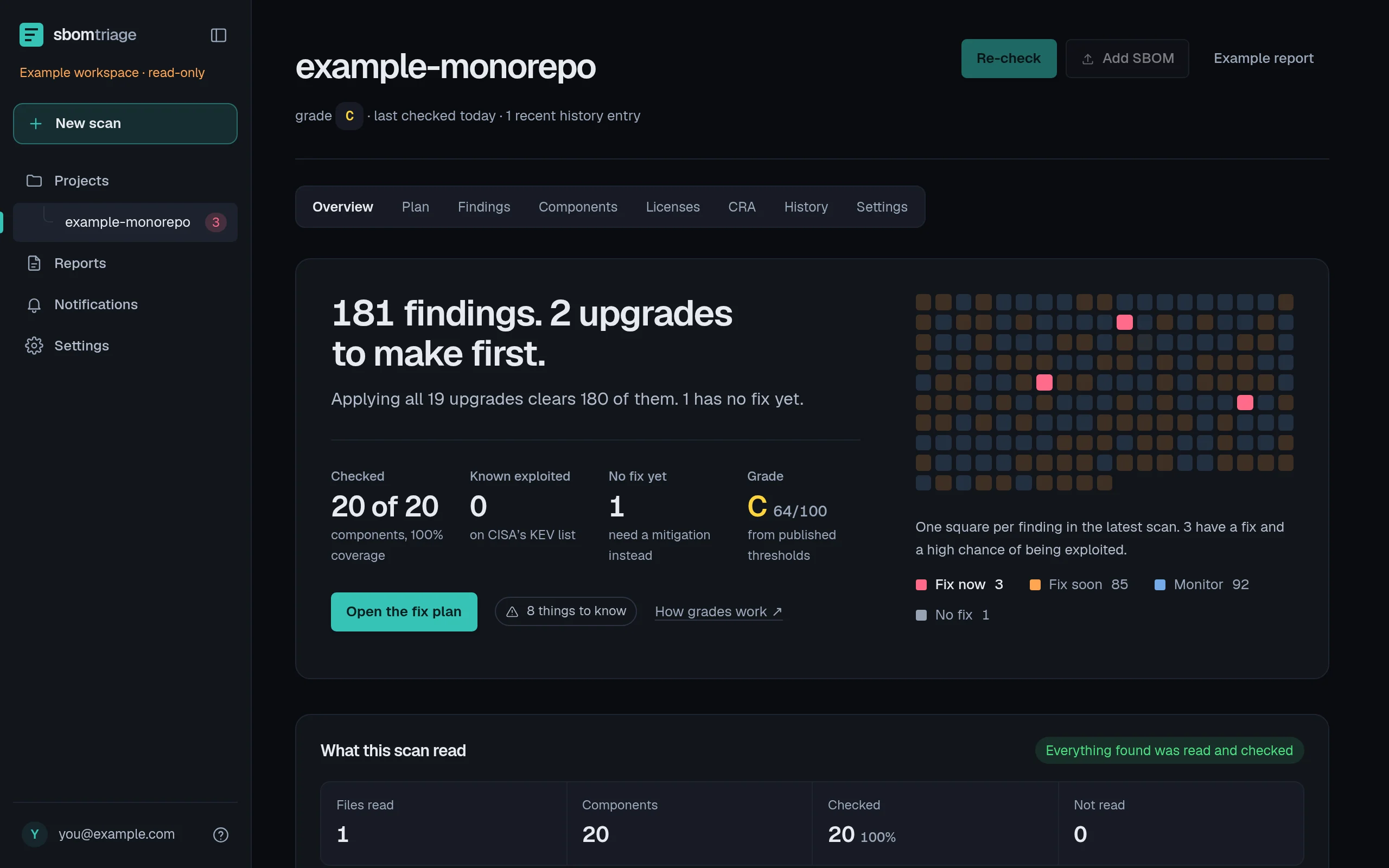
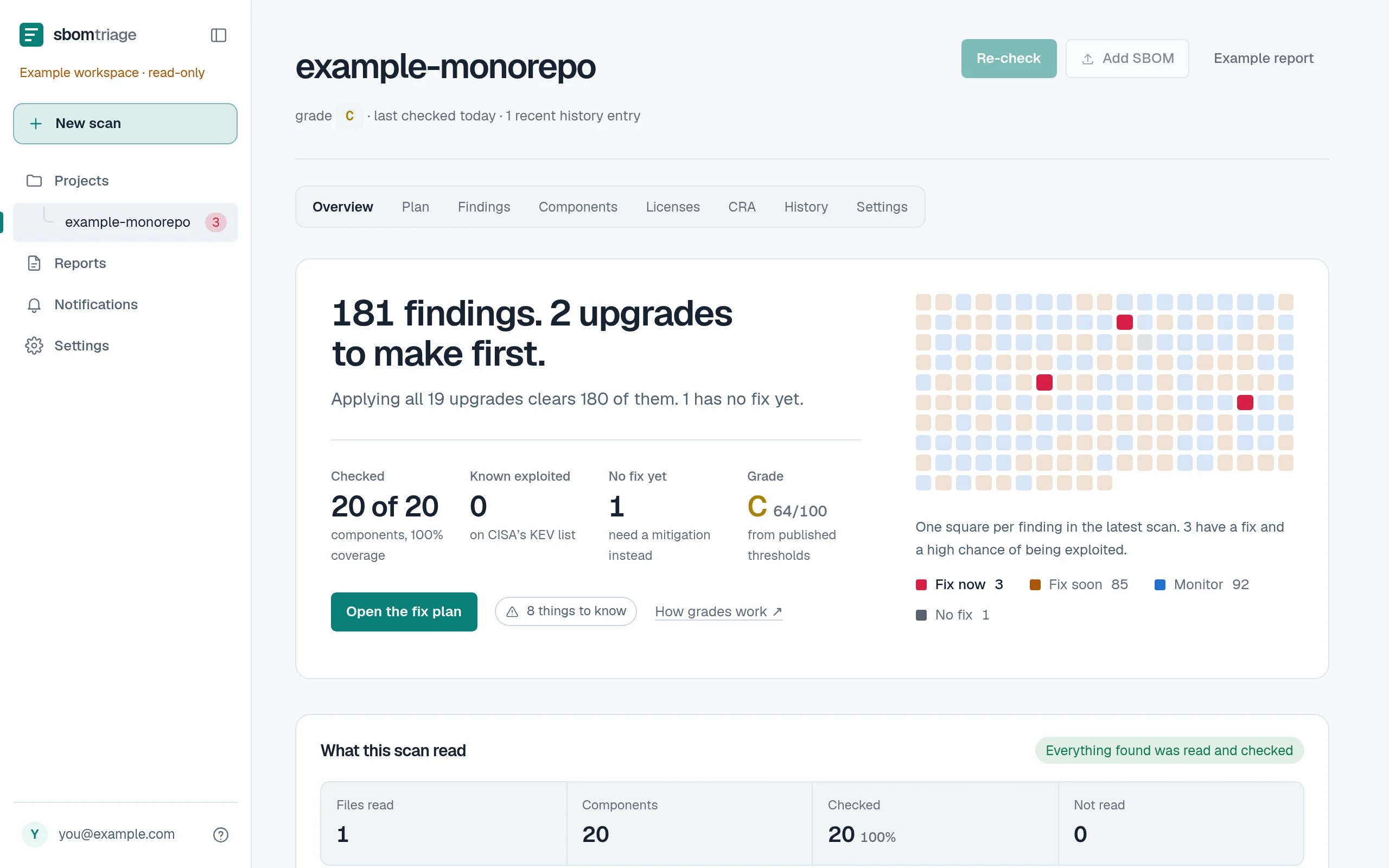 Open the example workspace →
One scan, written up for three readers.
An engineer needs a version number, a security reviewer needs the evidence and the gaps, and whoever signs it off needs a page they can actually read. All three views come from the same analysis.
- Engineering
- The version to upgrade to, how big each jump is and what it clears. Each scan is compared with the last, so you can watch the queue shrink.
- Security review
- Exploitation signals, coverage limits and the findings with no fix, kept apart so they don’t dilute the list. Each ranking names the rule behind it.
- Whoever signs it off
- An executive summary in front of the technical appendix, with your name and logo on it.
Free during early access.
Without an account
Free, with no account and no trial period.
- SBOM and lockfile scans, several files at once
- The complete ranked plan, all the evidence, and every export
- Vendor SBOM review and CVE lookup
- Reports are kept for 24 hours, and you can delete one sooner
With an account
Free during early access. In return, we ask four questions: your company, your role, what you’re scanning, and whether we may email you.
- 10 saved projects, from files or public and private repositories
- Daily monitoring, and a manual scan whenever you want
- 90 days of history, with the changes between scans
- Executive and technical reports with your name and logo
- A CRA evidence section and drafting help
- Slack alerts, with email alerts coming soon
Questions people ask first.
- What is an SBOM?
- A software bill of materials: the list of packages and versions inside a piece of software. Build tools and suppliers produce them. If you don’t have one, connect GitHub and sbomtriage will read your dependency manifests instead.
- Do I need an account?
- Not for a file scan. An anonymous report lives for 24 hours at an address nobody can guess, and you can delete it sooner. An account keeps your projects and their history.
- Does a finding mean I’m exploitable?
- No. A finding means a package you declared matches a published advisory. Whether the vulnerable code actually runs in your deployment is still a person’s call. A component that can’t be matched is never called safe.
- What can the GitHub App read?
- The dependency manifests in the repositories you select, public or private. You choose the repositories on GitHub and can remove access there at any time.